Function Calling — the mechanism
Here is the bridge between everything so far (text in, text out) and everything agents do — and it rests on one demystification that must land completely:
The model never executes anything. Ever. It has no hands, no network access, no runtime. "Function calling" means the model emits structured text saying what it wants run — and your code runs it, then feeds the result back as more text. The model is a brain in a jar writing requests on slips of paper; your application is the hands.
The protocol is a four-beat loop:
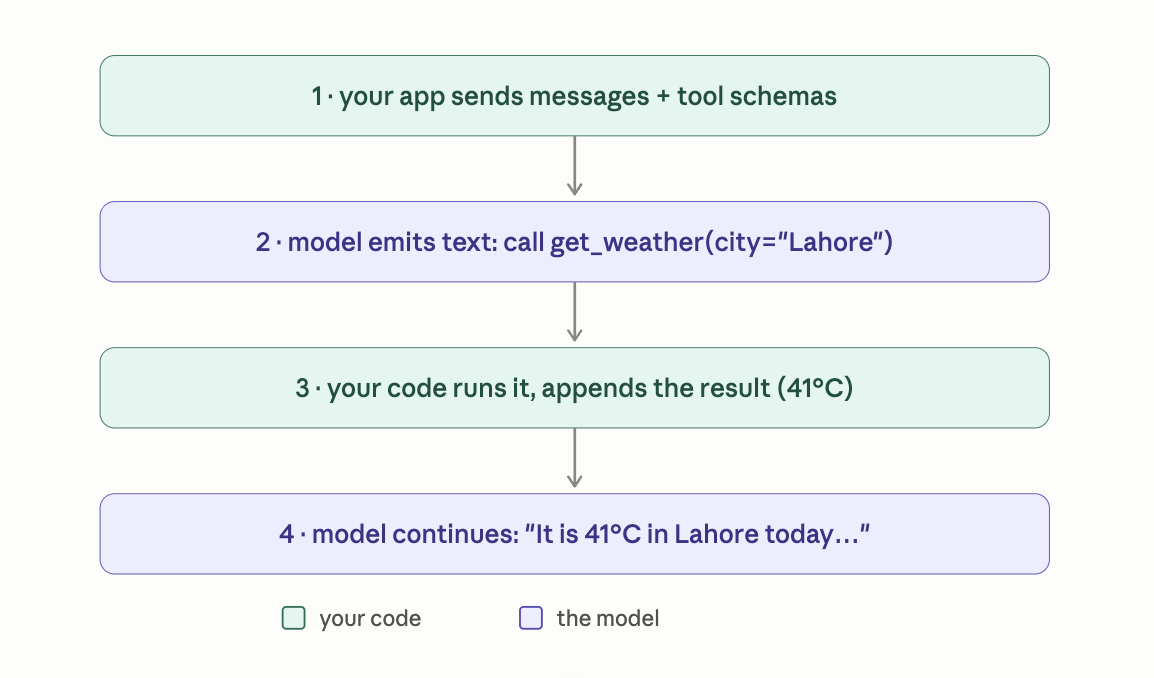
In code, the shape you'll write against any provider (Anthropic, OpenAI, Ollama — all dialects of the same protocol):
tools = [{
    "name": "get_weather",
    "description": "Get current weather for a city. Use for any "
                   "question about present conditions, not forecasts.",
    "input_schema": {
        "type": "object",
        "properties": {"city": {"type": "string"}},
        "required": ["city"],
    },
}]

resp = client.messages.create(model=..., tools=tools, messages=history)

if resp.stop_reason == "tool_use":              # beat 2 happened
    call = next(b for b in resp.content if b.type == "tool_use")
    result = run_my_function(call.name, call.input)      # beat 3 — YOUR code
    history += [assistant_turn(resp), tool_result_turn(call.id, result)]
    resp = client.messages.create(model=..., tools=tools, messages=history)  # beat 4
Under the hood — no new machinery, just your old friends. How does a text predictor "call functions"? It was fine-tuned on tool-calling traces — Module 2's pipeline with tool-use conversations in the SFT data, and the chat template (Topic 15) extended with special tokens marking tool-call blocks. The schemas you pass get rendered into the prompt; the model learned to emit well-formed calls the same way it learned to emit helpful answers: imitation of demonstrations. And argument validity can be guaranteed by the constrained decoding from Topic 54 — the sampler masks any token that would break the JSON schema. Trained behavior + loaded dice. That's the whole trick.
Three practical mechanics rounding out the protocol: parallel calls — models can emit several tool calls in one turn ("check weather in Lahore AND Karachi"); execute them concurrently and return all results together, a straight latency win (Topic 38). Tool choice — you can force behavior: auto (model decides), a specific tool ("must call classify"), or none. And structured output as a degenerate case: want guaranteed-schema JSON with no action at all? Define a single "tool" whose input schema is your output schema and force it — the standard trick before native structured-output APIs, still useful to understand them.
Finally, the insight that bridges into the next topic: look again at that description field. The model chooses tools by reading names and descriptions rendered into its context — which means tool schemas are prompts. Everything from Topic 54 applies: specificity, when-to-use and when-not-to-use, the amnesiac-contractor standard. A vague description is a vague prompt with an API attached.
Summary
Function calling = a protocol where the model emits structured text requesting execution, your code executes and returns results as messages, and the model continues. Powered by fine-tuning on tool traces + constrained decoding; schemas are prompts.
Mental model
A brilliant brain in a jar with a request pad. It writes "please run X with Y" slips; you are the hands, and you decide which slips get honored.
Mistakes to avoid
- Believing the model "has access" to tools in some deep sense — then being confused when it describes calling a tool in prose instead of emitting a real call. It's trained behavior over a text protocol; check
stop_reason, don't parse vibes. - One-line tool descriptions ("gets weather"). The model's tool-selection quality is exactly as good as the docs you wrote — Topic 54's craft, relocated.
Exercise
Implement the loop above end-to-end with one real function (a calculator, or an actual weather API) against any provider — Ollama supports tools locally, so this can be fully free. Then ask a question requiring two sequential calls ("is it hotter in Lahore or Karachi right now?") and watch the loop run twice. Print every message in the history when done — seeing the full transcript, tool slips and all, cements the protocol permanently.